
The iPhone alarm that works in Silent Mode
Flip the Ring/Silent switch, turn on Do Not Disturb, enable any Focus mode, even restart your phone — a Rouse alarm still sounds. Here's why most alarm apps can't say that, and what makes Rouse different.
Get Rouse FreeWhy most alarm apps go silent
The overwhelming majority of third-party alarm apps schedule their alarms as local notifications. That worked well enough — until you flip the Ring/Silent switch or turn on a Focus. Notifications are exactly what those switches exist to silence. The result is the most common one-star review in the alarm category: "the alarm never went off."
It's not the developer's fault. Until iOS 26, Apple simply didn't give third-party apps access to real, system-level alarms. The built-in Clock app played by different rules than everyone else.
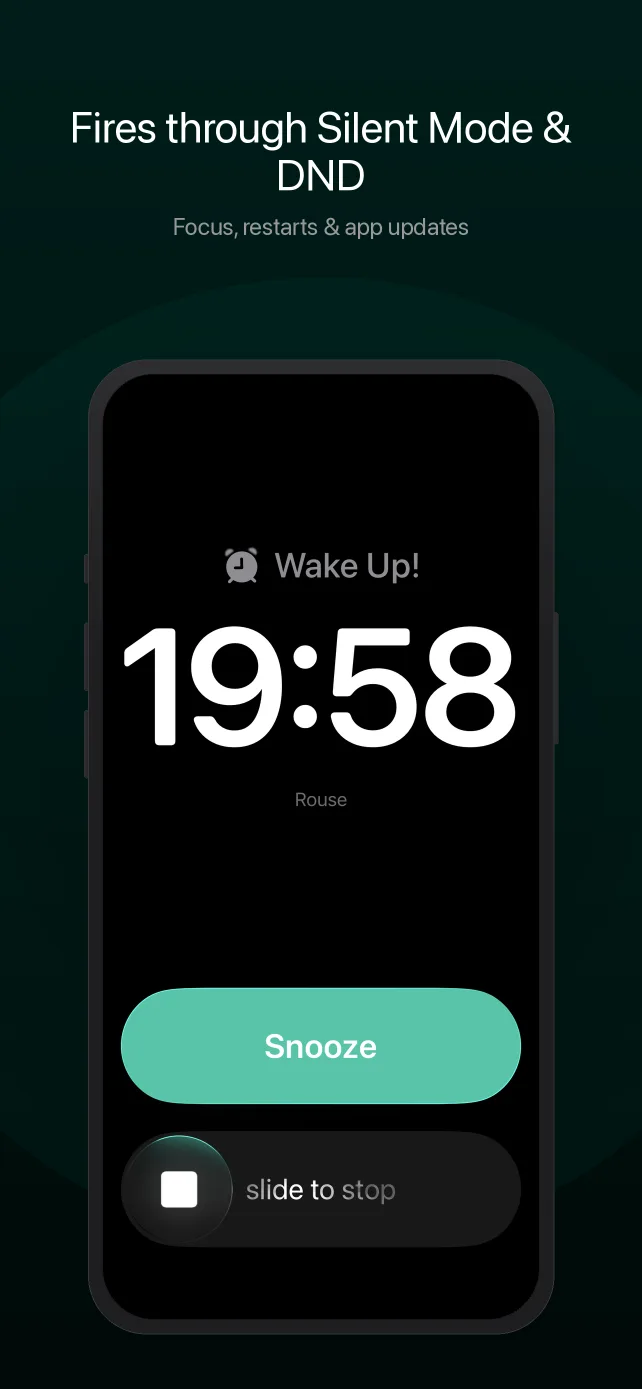
AlarmKit changed the rules
With iOS 26, Apple introduced AlarmKit — a framework that lets apps schedule alarms with the same system-level privileges as the built-in Clock app. An AlarmKit alarm is not a notification. It is registered with iOS itself, which means it:
- Sounds through Silent Mode — the Ring/Silent switch doesn't apply.
- Sounds through Do Not Disturb and every Focus mode — no exceptions to configure.
- Survives device restarts — scheduled alarms persist through reboots and OS updates.
- Fires when the app is force-quit — the app doesn't need to be running.
Rouse was built natively on AlarmKit from its first release — not retrofitted onto a notification-based codebase. Alarms, timers, and wake-up routines all use the system path.
Reliability is the floor, not the feature
An alarm that fires is table stakes. What you do in the ninety minutes after it fires is where Rouse goes further:
- 10 wake-up missions — math, shake, QR scan, steps, photo match, and more, chainable in sequence — to make sure you're actually awake.
- Escalating sounds that ramp from 30% to 100% volume over 45 seconds, plus 45 premium alarm and sleep sounds.
- Voice-coached routines that guide you step-by-step through your morning, hands-free.
- Smart Alarm that detects your lightest sleep phase within a window before your alarm, and a Wake-Up Check that follows up to confirm you're up.
- On-device sleep insights that learn your patterns and nudge your schedule in the right direction — generated on your iPhone, never in the cloud.
Never sleep through Silent Mode again
Free includes full Silent Mode-proof alarms, one voice-coached routine, timers, missions, and a bedside clock. No credit card, no account.
Download on the App StoreRequires iOS 26 or later (AlarmKit is an iOS 26 framework).
Common questions
Do alarm apps work when iPhone is on Silent Mode?
Most don't — notification-based alarms are muted by the Ring/Silent switch and suppressed by DND and Focus. Only the built-in Clock app and AlarmKit-based apps (iOS 26+) like Rouse fire at the system level. If your current alarm app predates iOS 26 or hasn't adopted AlarmKit, assume Silent Mode will mute it.
Does Rouse really fire through Do Not Disturb and Focus?
Yes. Rouse schedules alarms through Apple's AlarmKit, the same system-level alarm mechanism the built-in iOS Clock app uses. AlarmKit alarms are not notifications — they sound through Silent Mode, Do Not Disturb, all Focus modes, and persist through device restarts and app updates.
Will the alarm fire if I force-quit the app or restart my iPhone?
Yes. Scheduled Rouse alarms are registered with iOS itself and fire after force-quits, restarts, and updates — the same guarantee as the built-in Clock app.
Why is my alarm quiet even when it fires?
Alarm loudness follows the Ringtone & Alerts volume in Settings → Sounds & Haptics, not the media volume. Keep that slider up. If your iPhone alarm has been silently "going off," see our full guide: iPhone alarm not going off? 8 fixes.
How does Rouse compare to Alarmy?
We wrote an honest comparison covering reliability architecture, missions, routines, and pricing: Rouse vs. Alarmy.
Related reading
- Apple AlarmKit, explained — what the iOS 26 framework guarantees and how to tell if an app uses it.
- iPhone alarm not going off? 8 fixes — every known cause of silent alarms.
- The private alarm clock — reliability with no accounts, no tracking, and no ads.
- Rouse vs. Alarmy — an honest comparison.