
The private alarm clock: no account, no tracking, no ads
An alarm app knows when you sleep, when you wake, and how well you rested. Most treat that as inventory. Rouse treats it as yours — no accounts, no analytics, no advertising SDKs, and AI that runs entirely on your iPhone.
Get Rouse FreeWhy alarm apps became a privacy problem
Sleep data is intimate data. When you go to bed, when you get up, how often you snooze, how restless your nights are — a typical free alarm app collects all of it, attaches it to an account or an advertising identifier, and monetizes it through ads and analytics partners. That's the trade behind "free."
Rouse makes the opposite trade: a straightforward free tier plus optional Premium, and no data business at all. There's nothing subtle about it — the app has no place to send your data and no identity to attach it to.
What "private" means here, concretely
- No accounts. Nothing to sign into, nothing to delete. Purchases restore through the App Store.
- No tracking. Apple's privacy manifest for Rouse declares no tracking and an empty tracking-domains list — verifiable on the App Store listing itself.
- No analytics. No third-party analytics SDKs and no in-app analytics events. Rouse doesn't record how you use it.
- No ads. No advertising SDK anywhere in the app.
- One third-party dependency. RevenueCat, used only to process subscriptions.
The complete network list
Most privacy pages hide behind vague language. Here is every network request Rouse makes:
- App Store purchases — processed by Apple and RevenueCat when you buy or restore Premium.
- Apple WeatherKit — fetches the weather for your morning Rise Briefing.
- A static settings file — a small configuration file downloaded at launch.
That list is exhaustive, and none of it carries your sleep, health, or usage data. Everything else — alarms, timers, routines, stopwatches, countdowns, sleep tracking, the bedside clock — is stored on your device and works fully offline. Put your phone in Airplane Mode and your alarm still fires through Silent Mode tomorrow morning.
AI without the cloud
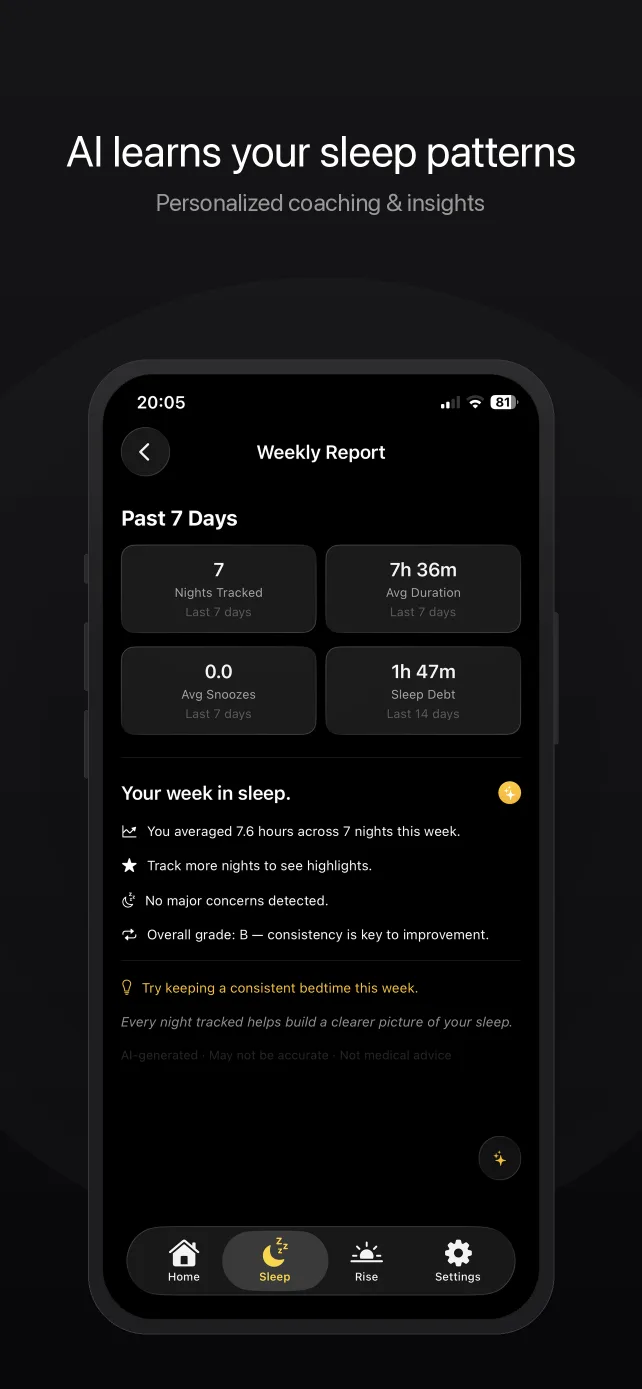
Rouse's sleep intelligence — nightly reports, trend insights, and the morning Rise Briefing — is generated on your iPhone using Apple Foundation Models (Apple Intelligence). Devices without Apple Intelligence get built-in summaries, also produced on-device. There is no cloud AI in Rouse: your sleep patterns are analyzed where they were recorded, and the analysis never leaves.
HealthKit integration follows the same rule. Rouse reads and writes sleep records only under the permissions you grant, managed in Apple's Health app and revocable at any time.
Private and reliable are the same feature
Because Rouse is built on Apple's AlarmKit, alarms are registered with iOS itself — they ring through Silent Mode, Do Not Disturb, every Focus mode, force-quits, and restarts, with no connection required. A local-first architecture isn't just a privacy stance; it's why the alarm can't be taken down by a flaky network or a distant outage. Your wake-up depends on your phone, and nothing else.
Try the alarm clock with nothing to hide
Free includes Silent Mode-proof alarms, one voice-coached routine, timers, missions, 2 countdowns, and a bedside clock. No account — there isn't one to make.
Download on the App StoreRequires iOS 26 or later · Full privacy policy
Common questions
Is there an alarm clock app that doesn't track you?
Yes. Rouse for iPhone contains no advertising SDK, no third-party analytics, and no in-app analytics events. Apple's privacy manifest for Rouse declares no tracking and an empty tracking-domains list — you can verify this on the App Store listing's privacy section. There are no accounts, and no ads anywhere in the app.
Does Rouse require an account or sign-in?
No. Rouse has no accounts of any kind — nothing to sign into and nothing to delete. Your alarms, timers, routines, countdowns, and sleep data live on your device, and purchases restore through the App Store. Because nothing of yours sits on a server, Rouse can export your alarms, timers, routines, and countdowns to a file you keep and import it on a new iPhone — a backup you control, in Settings › Data & Privacy.
What network requests does Rouse make?
Exactly three kinds: your App Store purchase (processed by Apple and RevenueCat), Apple's WeatherKit for the weather in your morning briefing, and a small static settings file the app downloads at launch. None of these carry sleep, health, or usage data. Alarms, timers, routines, stopwatches, countdowns, and all sleep features work with no connection at all.
Are the AI sleep insights private?
Yes. Every AI feature in Rouse — nightly sleep reports, insights, and the morning Rise Briefing — is generated on your iPhone using Apple Foundation Models (Apple Intelligence). Devices without Apple Intelligence get built-in summaries, also produced on-device. There is no cloud AI in Rouse, so your sleep and health data never leaves the device.
Is the sleep tracking private too?
Yes. Sleep sessions are stored on your device, and HealthKit records stay in Apple's Health ecosystem under permissions you grant and can revoke at any time in the Health app. Rouse never uploads sleep or health data — there is nowhere for it to go, because Rouse has no account system and records no analytics.
How can I verify Rouse's privacy claims?
Three ways: check the App Store privacy label on the Rouse listing (backed by Apple's required privacy manifest, which for Rouse declares no tracking and an empty tracking-domains list); use the app in Airplane Mode and watch every core feature keep working; or run a packet capture and compare against the published network list — App Store purchases, Apple WeatherKit, and one static settings file at launch.
Related reading
- The alarm that works in Silent Mode — the reliability half of the story.
- Rouse vs. Alarmy — including the privacy comparison.
- Privacy policy — the full legal version of this page.